← Back to geotechnicalengr.com
Personal Project
Daily To-Do
Most to-do apps let an unfinished list quietly reset overnight. I wanted the things I didn't get to show back up on top, automatically.
Every to-do app I've tried either buries me in projects and tags, or lets an unfinished list quietly reset overnight — so the three things that actually mattered yesterday just vanish. I wanted something closer to a daily worksheet: pick three priorities, work the rest of the list around them, and have anything unfinished show back up on top the next morning without retyping it.
A static HTML/CSS/JS front end backed by a single PHP script and a JSON file — same pattern as Habit Tracker, Reading List, and Time Block, and it shares Time Block's login so one password covers both. The model is deliberately simple: there's no "priority" flag anywhere in the data, just array position — the first three items are the day's priorities, everything else falls below the line. That one rule does double duty: unfinished items carry over to the next day in their original order, so a priority that got finished naturally lets a lower item slide up to take its place. Every item is a live, editable text field with a small × to delete it, plus up/down arrows to reprioritize by hand. Checking off the third priority triggers a confetti burst; a date-range export, tucked behind its own toggle button to keep the main view uncluttered, downloads a CSV split into completed and not-completed items per day.
The phone is where I think of things, so the list reaches it two ways. A Scriptable widget on the Home Screen shows today's priorities and checks one off with a tap. A Siri shortcut adds an item by voice: I dictate it, and saying “urgent” first or last flags it in red. Neither one sends the whole day back to the server. They send one change, check this item or add this one, and the server applies it to its own copy, so a widget holding an old view can't overwrite edits made somewhere else. The widget signs in with its own revocable token rather than my password. A tab left open on the desktop refreshes itself when I come back to it.
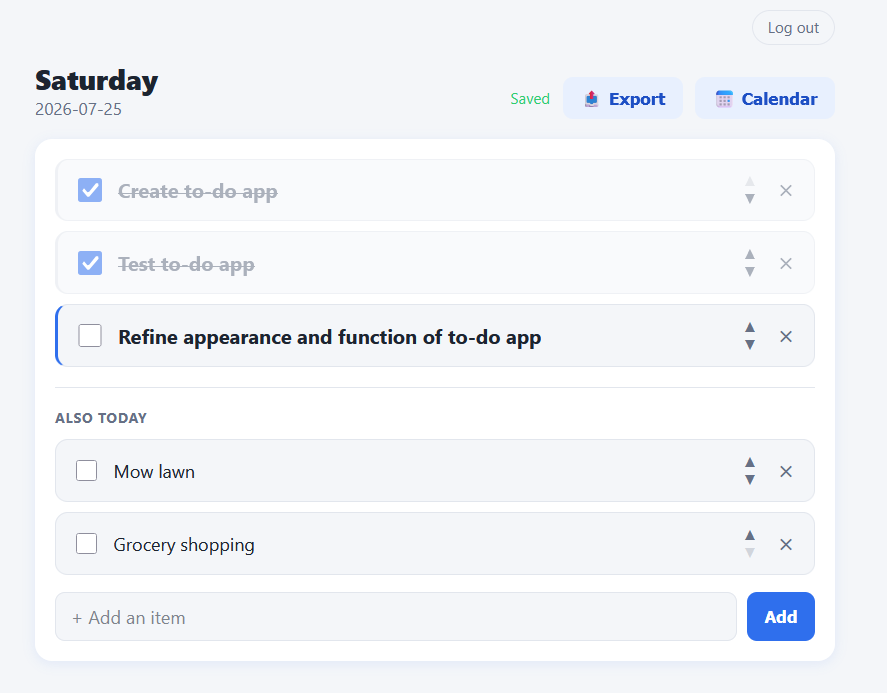
Three priorities above the line, everything else below — reorder with the arrows, delete with the ×.
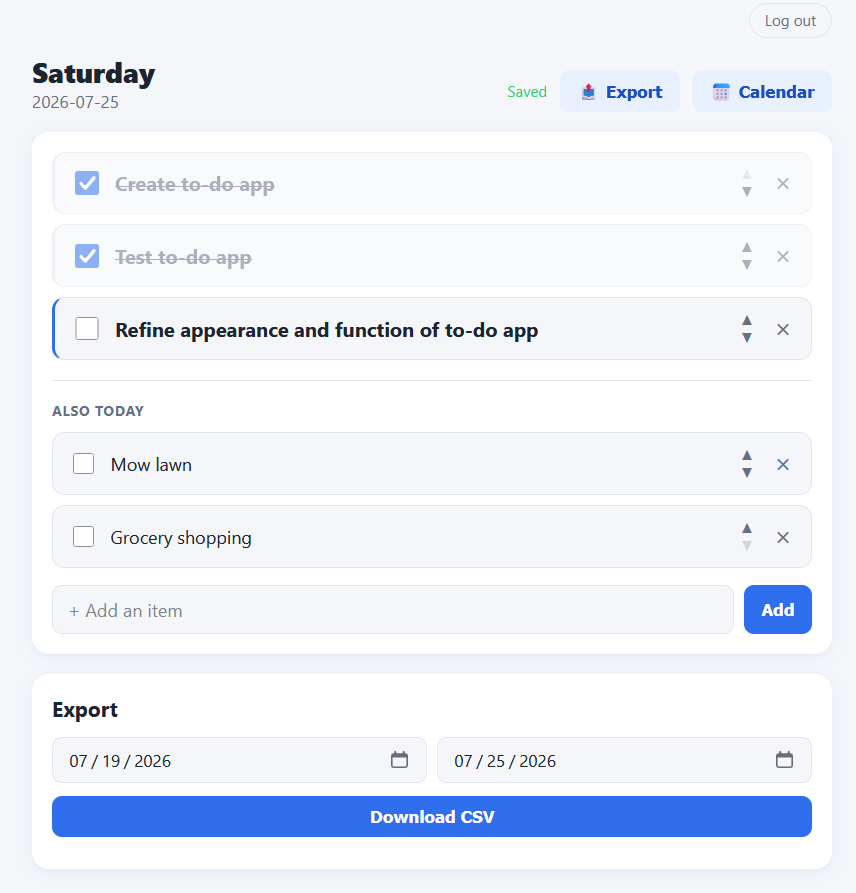
Export stays out of the way until you need it — pick a range and download a CSV split into completed and not-completed items.
A to-do list that resets itself every morning without losing anything — what I didn't get to yesterday is just there again, at the top, instead of buried in an app I have to dig through. Now I can check things off, or add one by talking, without opening the app.